Flow WMS

Warehouse software that runs the whole floor.

Flow WMS is our own warehouse management app, licensed monthly with hosting and support included. It puts a clean, enforced process in front of your team, stock, orders, picking, scheduling, and reporting in one place.

How Flow WMS works.

One product, licensed monthly with hosting and support included. There are no editions, no modules and nothing held back behind an upgrade. Every client gets the whole app, the same proven logic for stock allocation, order lifecycle, picking, permissions and reporting, set up around their own racking, SKUs and terminology at onboarding.

What you see below is the live app. Real allocation logic, an enforced order workflow, role-based permissions, a 3D map of the actual racking, and reporting you can print.

The sample data is a demo warehouse, a general goods operation across appliances, furniture and homewares, running five aisles, twenty-five bays and fifty-six shelf locations. A real client runs the same app, built around their own floor.

Everything that needs attention, before anyone goes looking for it.

Five counters across the top are the morning in one line: orders in progress, orders past their agreed turnaround, orders blocked waiting on stock, picked orders ready to ship, and putaway jobs nobody has been given yet. Under them, six panels that fit the screen without scrolling: the live order list, the stock that needs attention, the putaway queue, what each worker is carrying, what the team picked this week, and how full the racking is.

  • Overdue is counted in business days against a threshold you set, not calendar days
  • Unassigned work is called out by name, so nothing sits in a queue nobody owns
  • Every figure is read from the same data as the screen that fixes it
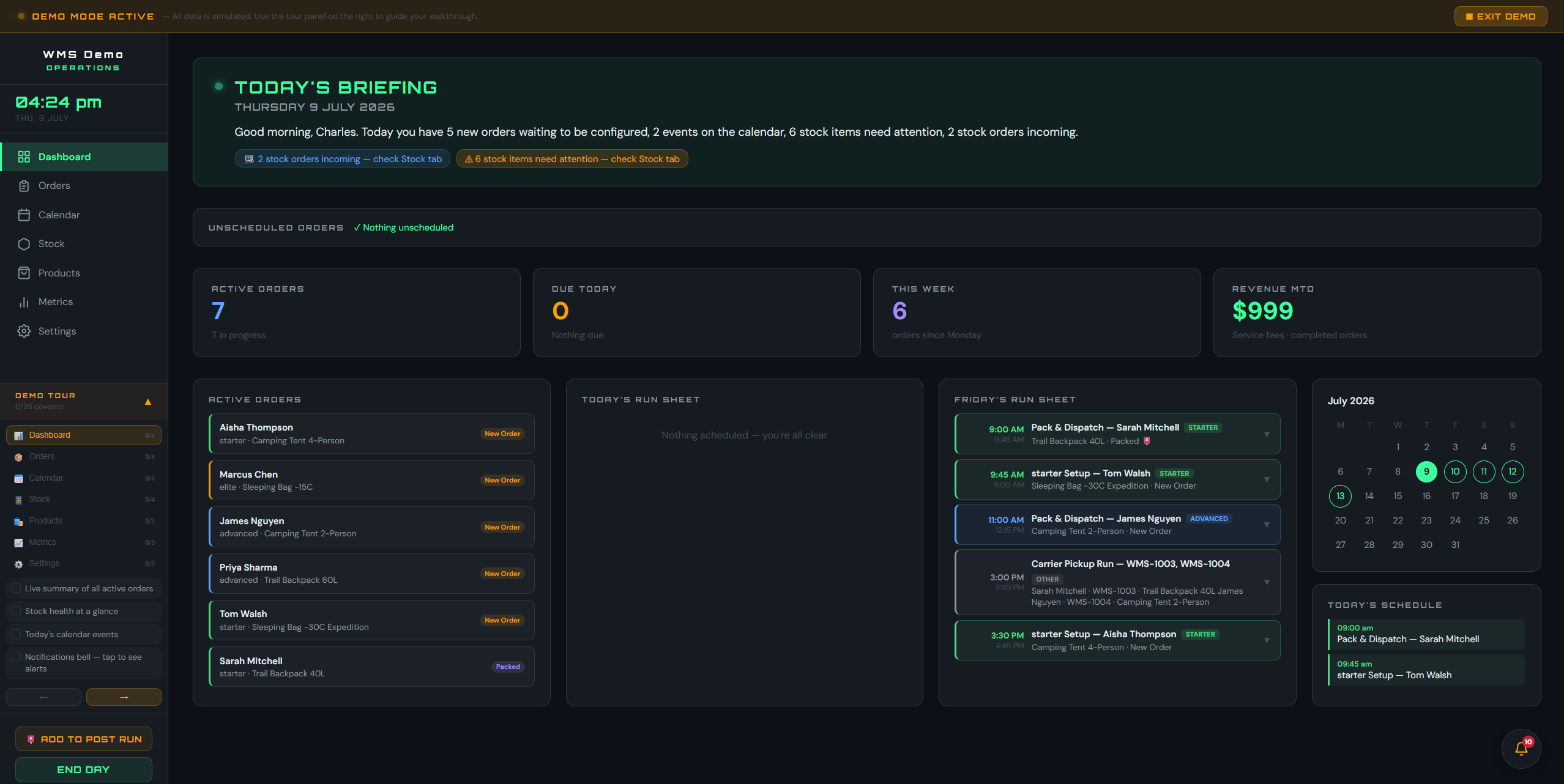
Flow WMS dashboard showing active orders, overdue count, stock alerts and the putaway queue

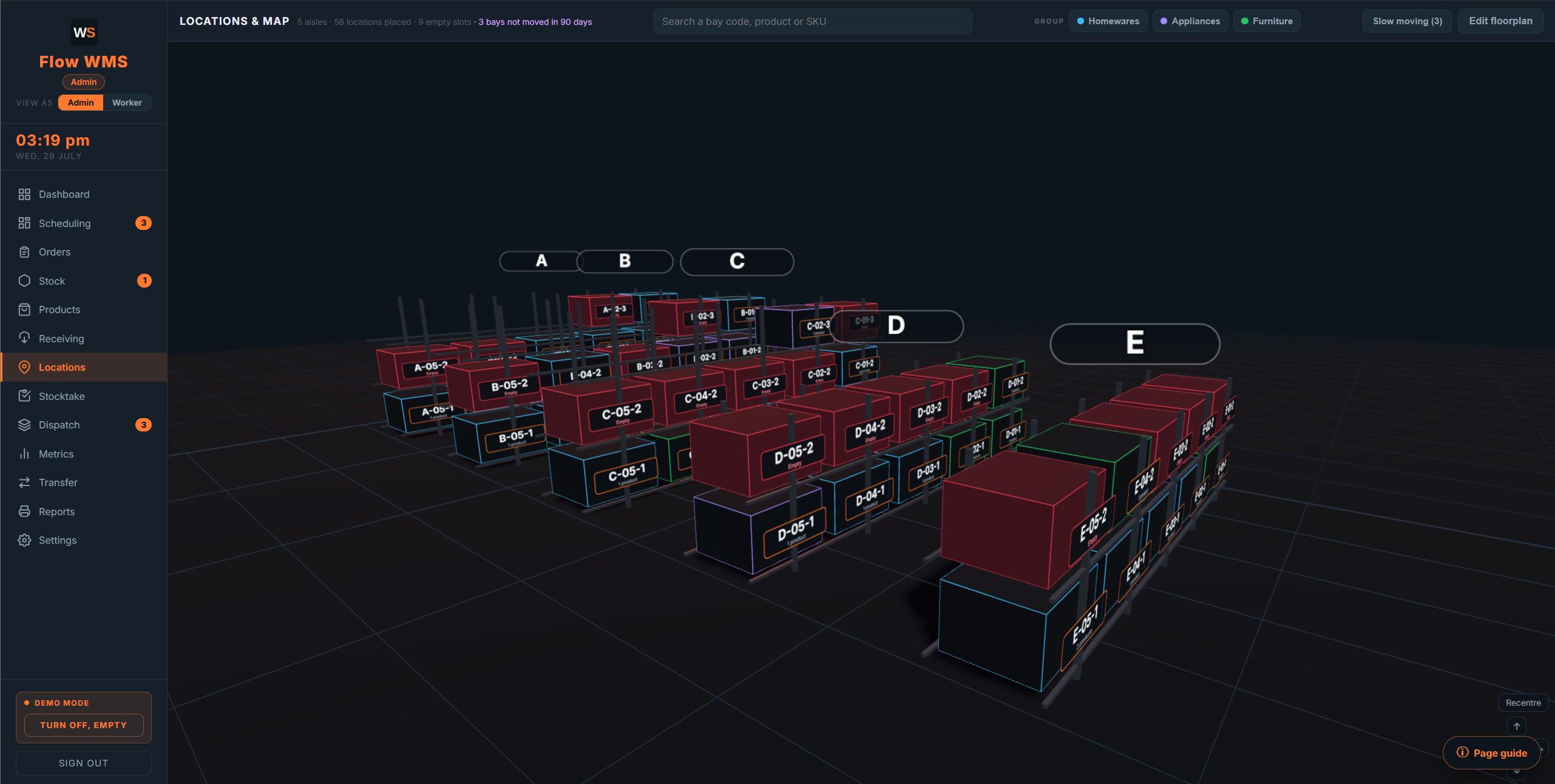
Your actual racking, in 3D, down to the shelf.

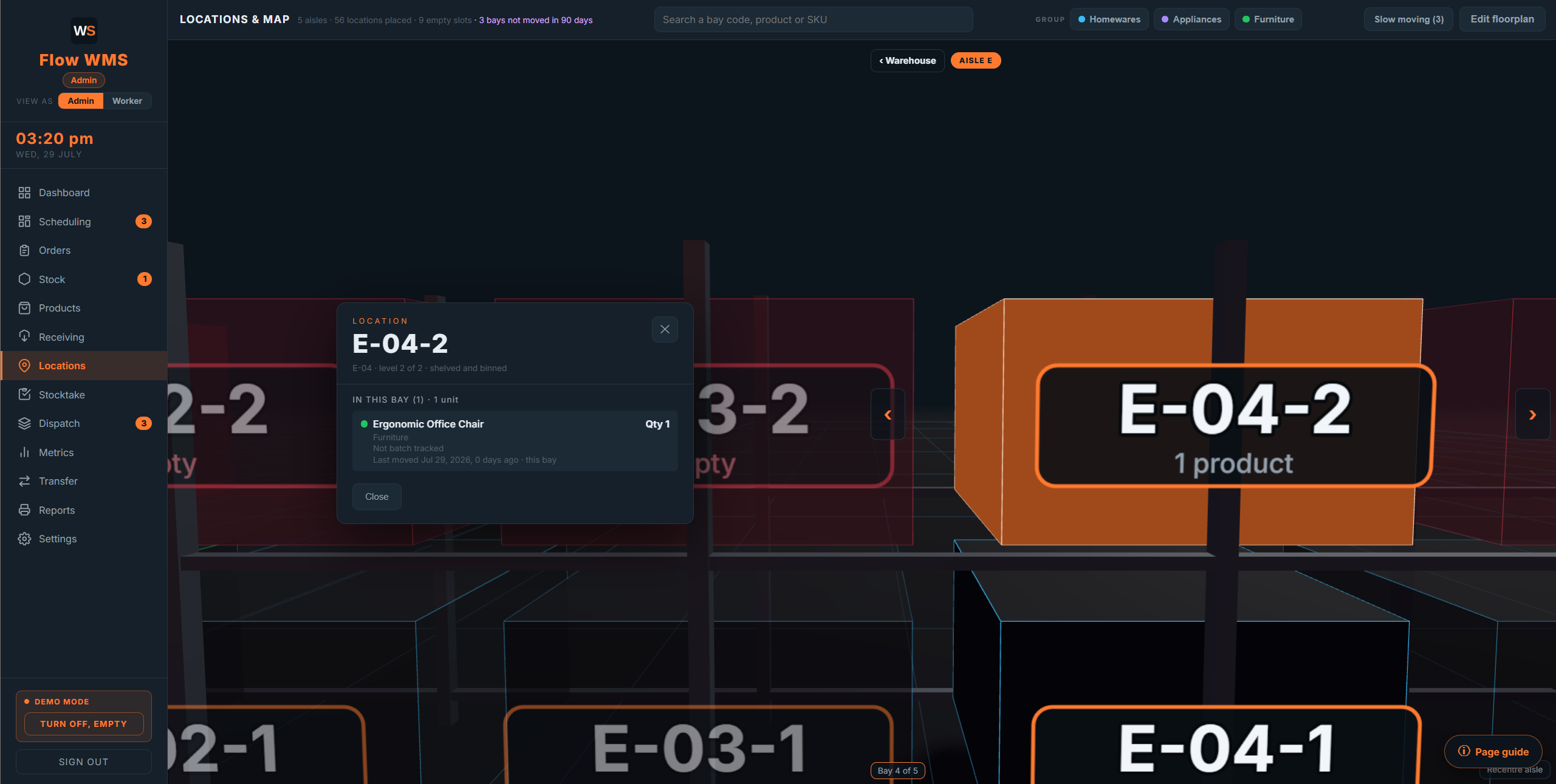
Aisles, bays and levels laid out the way they physically are on your floor, built from your own plan rather than a generic grid. Tap any bay and you get exactly what is in it: the product, the quantity, the batch if it is tracked, and when it last moved.

  • A bay takes the colour of the stock group sitting in it, and an empty bay reads red, so free space is obvious from across the room
  • Bays that have not moved in 90 days are flagged, which is where dead stock hides
  • The same map is what the picker sees, with their bay lit up
Flow WMS 3D warehouse map with a bay selected showing its contents

The picker is told where to go, and the app checks they picked the right thing.

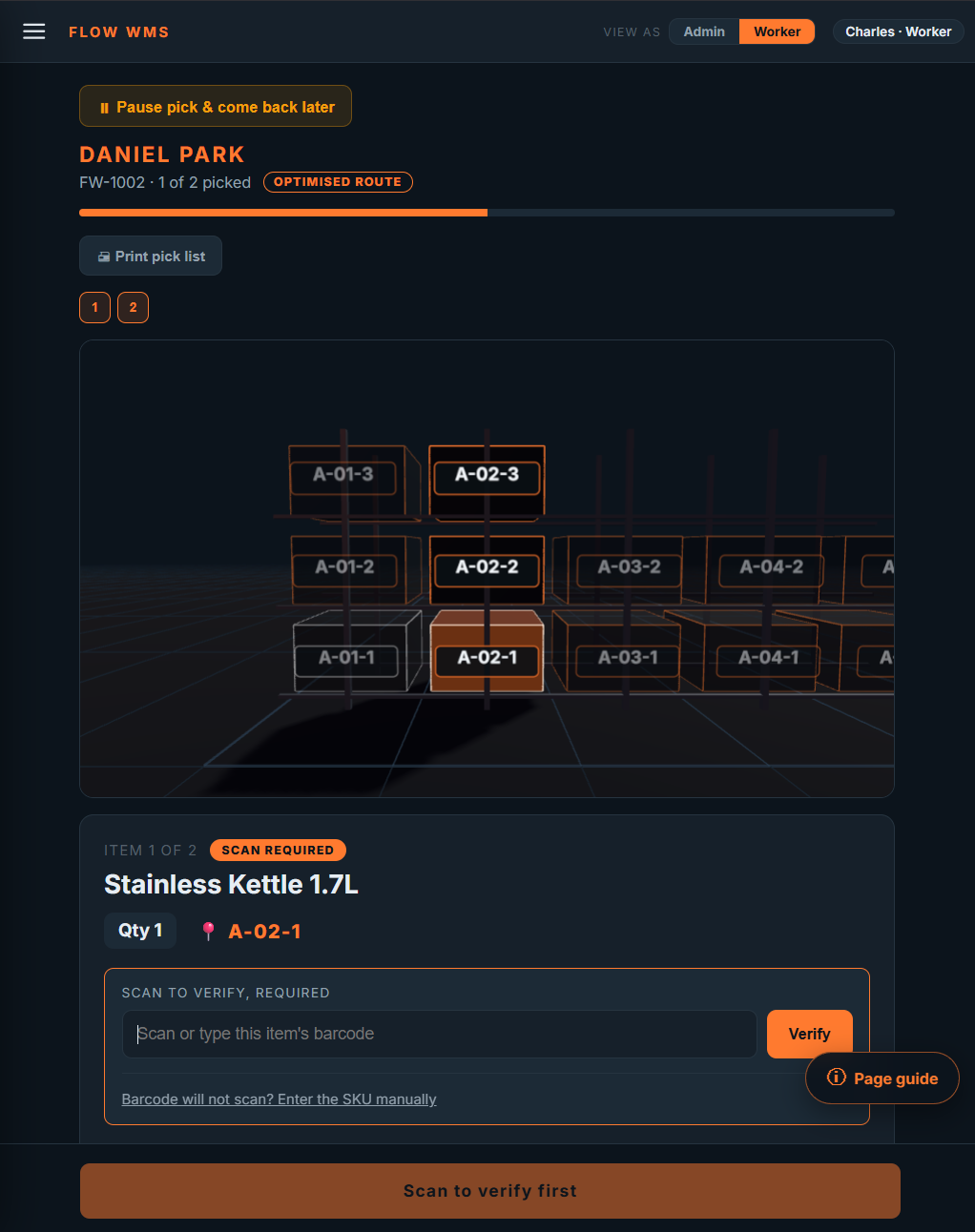
Lines are sorted into a walking route down the aisles rather than the order they were typed onto the order, and the bay for the current line lights up on the map above it. Where a barcode is on file for a product, the scan is required before the line can be ticked.

  • An optimised route, so a picker is not sent back down an aisle they already walked
  • Scan to verify, with manual SKU entry when a label is damaged
  • A pick can be paused and picked back up later, on a different device
Flow WMS picking screen on a tablet with the bay lit up and a barcode scan required

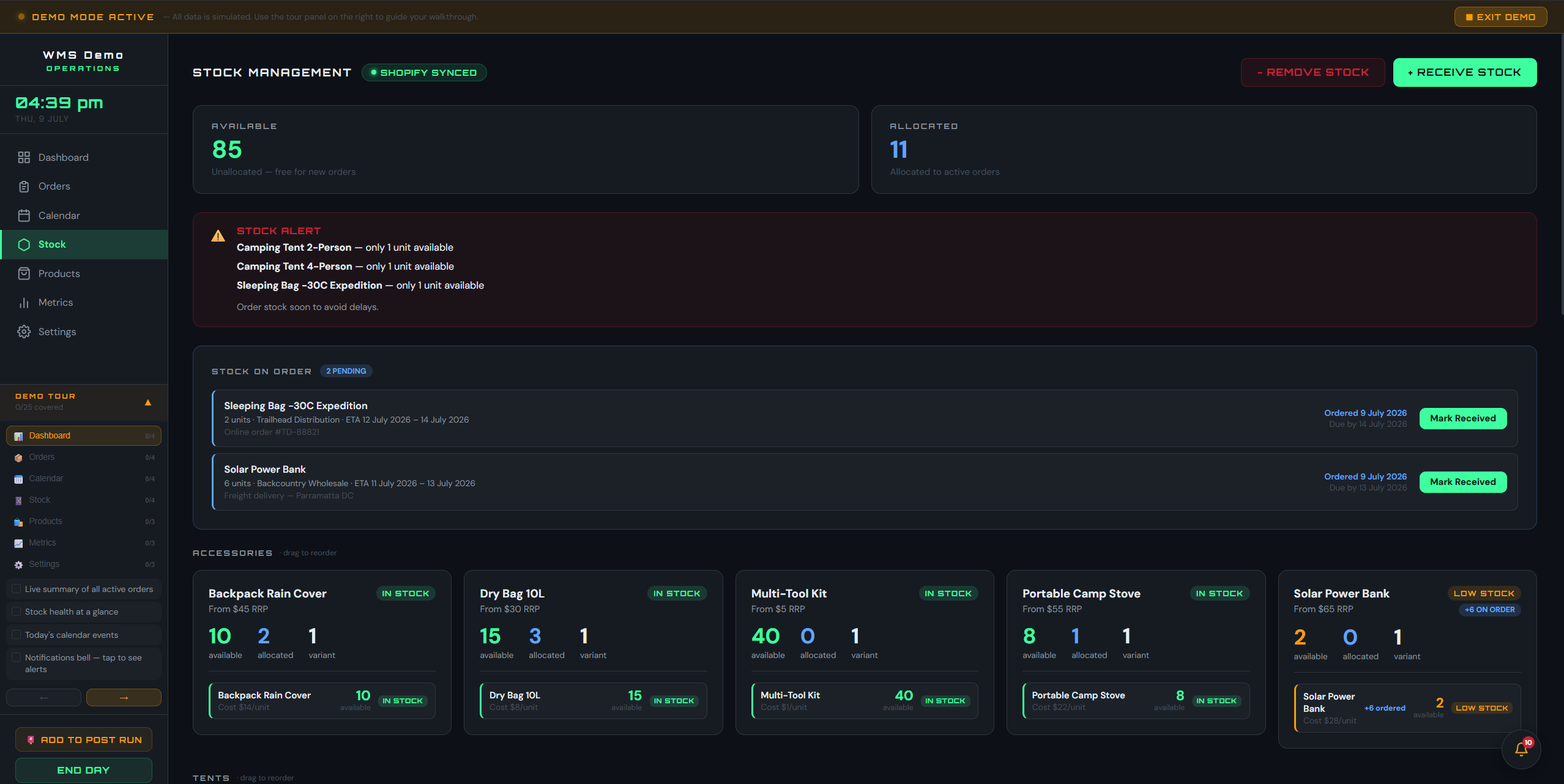
Stock that is genuinely reserved against orders, not just counted.

Available and allocated are separated, so what is committed to open orders is never counted as free to sell. Shortfalls are worked out for you: the app names the order that is short, the product, and by how many, before it becomes a dispatch problem.

  • Available, allocated and on-hand per SKU, with your own low-stock threshold
  • An order that cannot be filled is held rather than half picked
  • Receiving the missing stock releases the held order automatically
Flow WMS stock screen showing available versus allocated units and a shortfall against an order

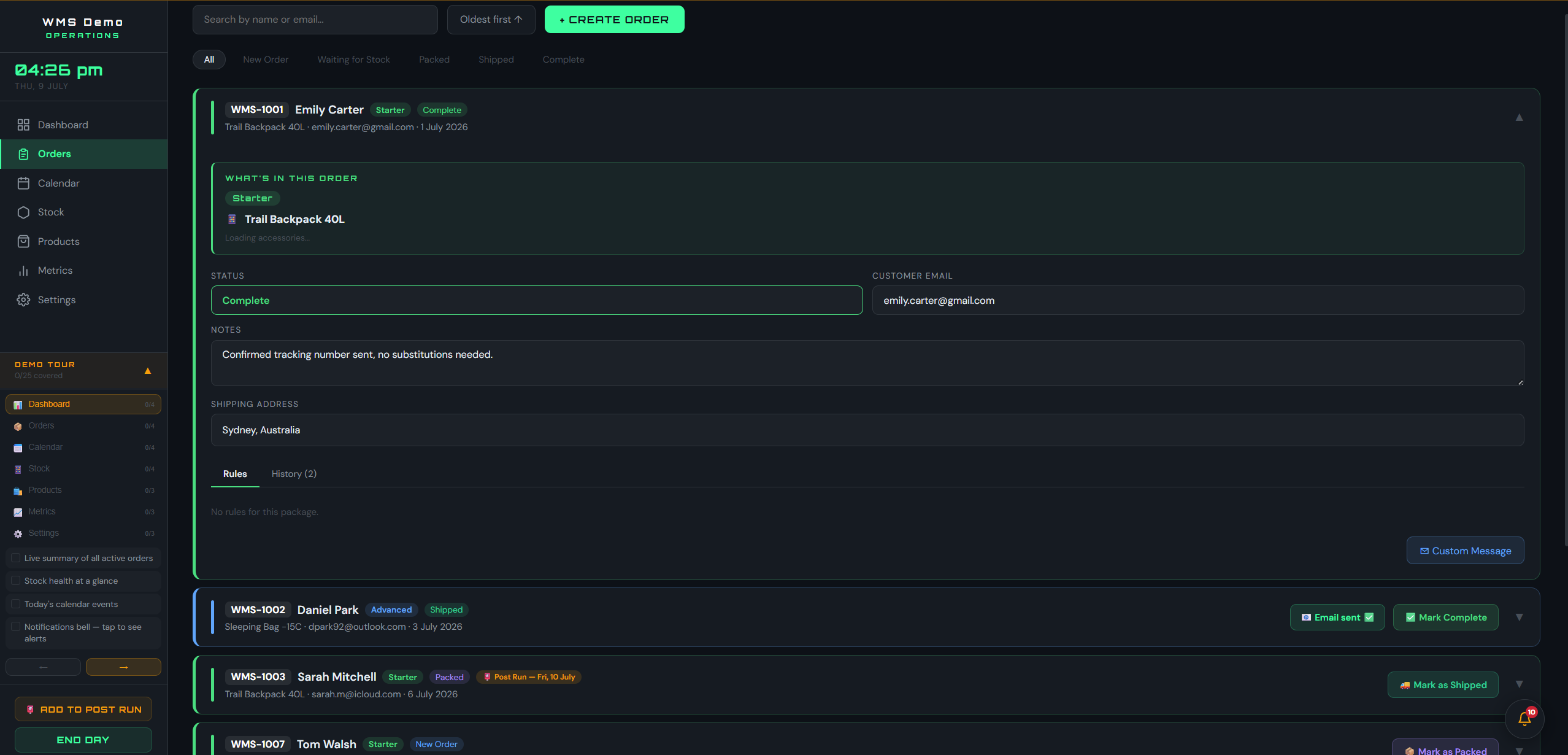
A defined lifecycle, and a record of who did what.

Every order moves through New Order, Waiting for Stock, Picked, Shipped and Complete, and the app only offers the next valid step. Each order keeps its own timeline: who it was assigned to, when picking started, which bay each line came off, when it was staged, shipped and completed.

  • Status-gated actions at every stage, so an order cannot skip a step
  • A full timeline per order with names and times, which is what an audit asks for
  • Customer details, tracking number and notes live on the order itself
Flow WMS order detail showing the full history timeline from created to complete

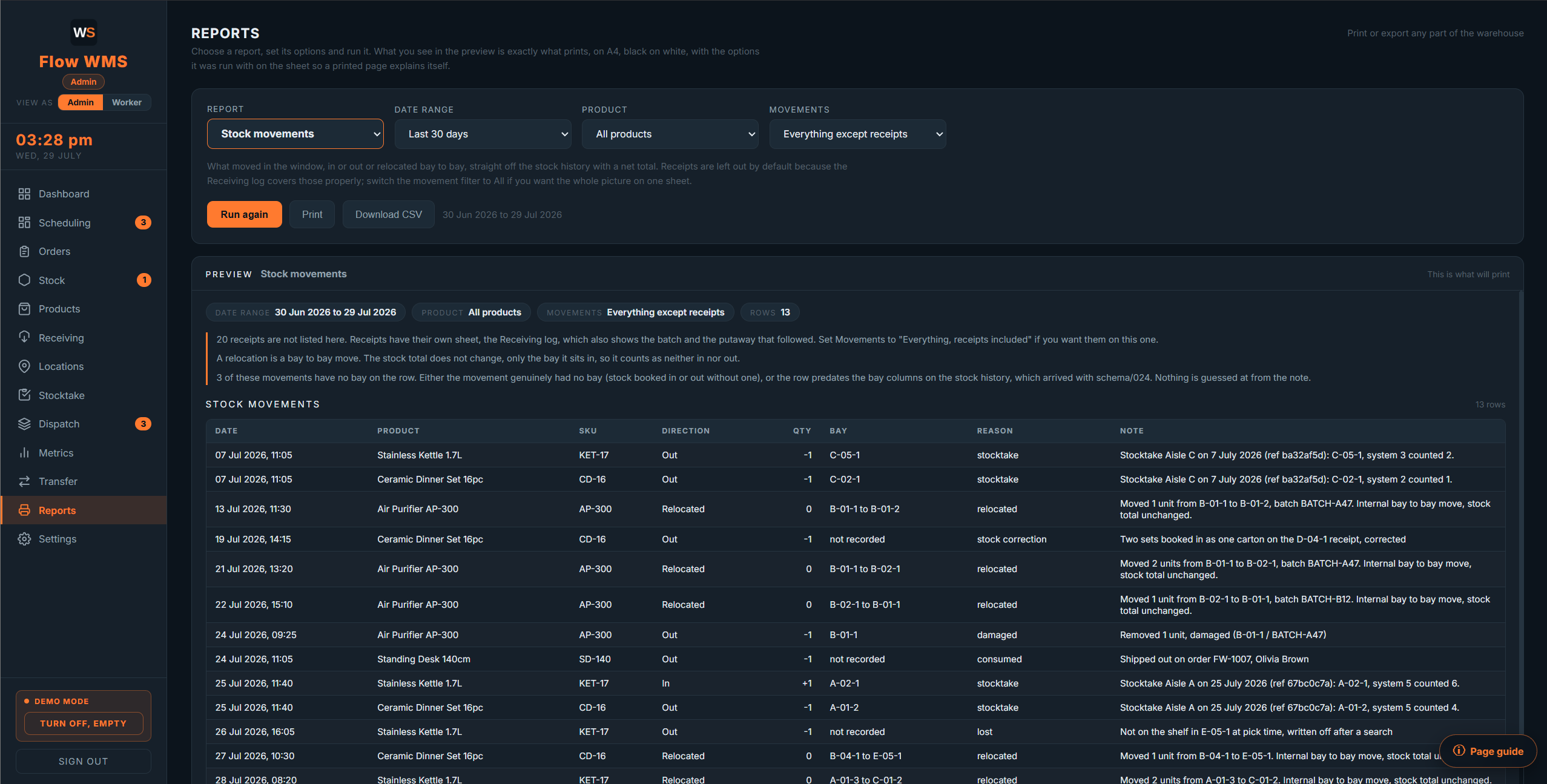
Print any part of the warehouse on A4, without touching a spreadsheet.

Nine reports covering stock on hand, stock movements, orders, picking activity by worker, the receiving log, bay occupancy, slow-moving stock, past stocktake results and batch traceability. Choose one, set the date range and the filters, and the preview on screen is exactly what comes out of the printer.

  • What you see in the preview is what prints, with the filters printed on the sheet
  • Proper documents: repeating table headers, page numbers, nothing split across a page
  • Pick lists print for the floor, with big bay codes in walking order and a tick box per line
Flow WMS reports screen showing the stock movements report preview

Software is only part of the conversation when it is genuinely needed.

Many warehouses are fully served by process, staffing and layout changes alone. Flow WMS is licensed separately from the audit and the rebuild, and is never bundled into either.

Enquire Now